We use cookies to make your experience better. To comply with the new e-Privacy directive, we need to ask for your consent to set the cookies. Learn more.


Common Audio Visual Setup Mistakes to Avoid at Events
March 17, 2026
Categories:
Event Planning
Everyone remembers the event where the mic cut out mid-speech. Or the one where the screen was so washed out nobody could read the slides. Or the seminar where the speaker's voice kept bouncing off the back wall like a racquetball.
These things stick. And not in a good way.
AV problems at events rarely happen because of bad luck. They happen because of avoidable mistakes made in the planning stage, the setup stage, or both. The good news? Once you know what to watch for, most of these are genuinely easy to prevent.
Here are the most common audio visual setup mistakes, and exactly how to avoid them.
1.Not Doing a Site Visit Before the Event
This one is huge. And skipped constantly.
Every venue is different. Ceiling height, room shape, wall materials, ambient light levels, power point locations, background noise from adjacent rooms or air conditioning units. All of it affects your AV requirements significantly.
Turning up on event day to assess the space for the first time is like cooking a meal without knowing what ingredients you have. You are already behind.
What to do instead:
- Visit the venue at least a week before
- Measure the room dimensions and ceiling height
- Note all power outlets and their locations
- Check natural light sources and how they hit screens or displays
- Listen for ambient noise issues
2.Underestimating Audio Requirements
This is probably the single most common mistake at corporate and conference events. People underestimate how much audio equipment a space actually needs.
A speaker system that works fine outdoors might sound thin and inadequate in a high-ceilinged indoor venue. A single speaker on a stand covering a room of 150 people? Not going to work. Not even close.
Signs your audio setup is undersized:
- People in the back rows straining to hear
- Turning volume up past safe limits to compensate
- Echo or reverb because sound is bouncing instead of absorbing
Match your speaker power and placement to the room. Not the guest count alone.
3.Ignoring Screen Visibility From All Angles
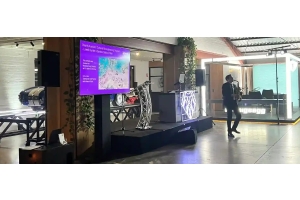
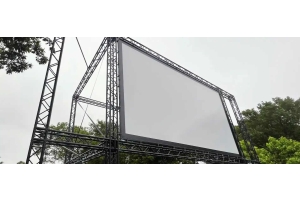
You set up the projector screen centred on the stage. Looks great from the front. Then you realise a third of the room has a pillar in the way. Or the screen sits too low and the front rows are blocking the view for everyone behind them.
Always do a sight-line check from multiple positions in the room, including side seats and back rows. Sometimes one large screen is not the right answer. Two smaller screens positioned at opposite ends of the room serves the audience far better.
Quick visibility checklist:
- Check from back row, side seats, and any elevated areas
- Confirm screen height clears the heads of seated guests
- Consider multiple screens for wide or oddly shaped rooms
4.Skipping the Sound Check
We cannot stress this enough. A proper sound check, done with the actual microphones and speakers being used on the day, in the actual room, is non-negotiable.
Acoustic conditions change when a room fills with people. Bodies absorb sound in a different way than empty chairs. What was balanced during setup may become muddy, too bright, or feedback-prone once the audience arrives.
Sound check best practice:
- Run the check at least 60 to 90 minutes before doors open
- Test every microphone that will be used during the event
- Walk to different parts of the room while someone speaks into the mic
- Adjust EQ settings to suit the room acoustics
5.Forgetting About Cable Management
Cables everywhere are not just ugly. They are a safety hazard. A trailing cable across a walkway is an incident waiting to happen, particularly in busy conference or exhibition environments.
Plan your cable runs before the day. Use cable covers or gaffer tape where cables cross foot traffic areas. Keep power and audio cables separated where possible to avoid interference.
6.Not Having Backup Equipment or a Contingency Plan
What happens if a microphone battery dies mid-presentation? What if the projector lamp fails? What if the mixer drops signal?
These things happen. Even with well-maintained gear. Having a spare handheld mic, a backup laptop connected and ready, or a technician on-site who carries spare parts is the difference between a small hiccup and a full event disaster.
Minimum backup items to have on hand:
- Spare microphone batteries or fully charged replacements
- A backup laptop or presentation device
- Spare HDMI and adapter cables
- A spare handheld mic if lapel mics are the primary setup
7.Leaving AV Setup to the Last Minute
Setup always takes longer than expected. Always. Something will not connect cleanly, a cable will be the wrong length, the screen will need repositioning. Give yourself proper time.
As a general rule, allow at least two to three hours for a mid-sized event setup, and longer for anything with rigging, multiple screens, or complex lighting requirements.
8.Not Working With a Professional AV Hire Company
Trying to piece together an AV setup from borrowed or consumer-grade equipment is the root cause of most event AV problems. Professional hire companies provide properly maintained gear, deliver and install it, and often send a technician to manage it on the day.
That combination of quality equipment and experienced support removes most of the risk from your event entirely.
Summary
Avoiding these mistakes does not require a massive budget. It requires planning, the right questions, and working with people who genuinely know AV.
Need reliable audio visual hire for your next event in Melbourne? Contact Wwave on 03 9372 5244. Our experienced team will help you get the setup right, the first time.
Recent Posts