We use cookies to make your experience better. To comply with the new e-Privacy directive, we need to ask for your consent to set the cookies. Learn more.


The Complete AV Checklist for Corporate Events in Australia
A successful corporate event is about more than a great venue and engaging speakers—it depends on delivering a seamless audio visual (AV) experience. Whether you're organising a conference, seminar, product launch, awards night, or annual meeting, having the right AV equipment ensures your message reaches every attendee clearly and professionally.
Missing a microphone, unreliable internet, or poor lighting can negatively impact your event and your brand. That's why having a comprehensive AV checklist is essential during the planning process.
Here's a practical checklist to help you prepare for a successful corporate event in Australia.
1. Define Your Event Requirements
Start by understanding the basics of your event.
Ask yourself:
- How many guests are attending?
- Is the event indoor or outdoor?
- Will there be guest speakers or panel discussions?
- Do you need live streaming or event recording?
- Will presentations or videos be displayed?
- Is the event in-person, hybrid, or virtual?
Having clear answers helps determine the AV equipment and technical support you'll need.
2. Essential Audio Equipment
Clear, reliable sound is one of the most important elements of any corporate event.
Your audio checklist should include:
- Wireless handheld microphones
- Lapel (lavalier) microphones for presenters
- Headset microphones for hands-free presentations
- Professional speaker systems
- Audio mixers
- Confidence monitors for presenters
- Backup microphones and batteries
Always test microphones before the event and keep spare equipment available to avoid unexpected interruptions.
3. Visual Presentation Equipment
Your audience should be able to clearly see presentations, videos, and branding from every seat.
Depending on your venue and audience size, consider:
- LED video walls
- High-definition projectors
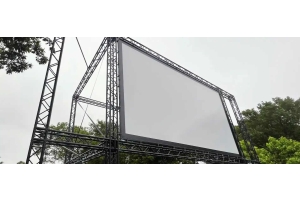
- Projection screens
- Presentation laptops
- HDMI adapters and cables
- Presenter clickers
- Confidence monitors
- Digital signage
For larger venues or brightly lit spaces, LED screens often provide better visibility than traditional projectors.
4. Lighting, Staging & Technical Support
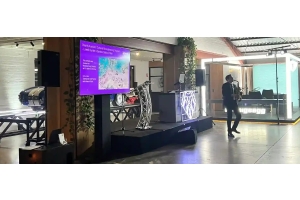
Professional lighting and staging improve both the audience experience and the quality of event photography or video recordings.
Your checklist should include:
- Stage lighting
- Speaker spotlights
- Decorative lighting
- Stage platforms
- Lecterns
- Truss systems
- Event power distribution
- Cable management
- Onsite AV technician
Having experienced technicians onsite ensures equipment is monitored and any technical issues are resolved quickly.
5. Test Everything Before Guests Arrive
Even the best equipment needs proper testing.
Before the event begins, make sure to:
- Test every microphone
- Check presentation files
- Confirm internet connectivity
- Run video and audio playback
- Verify lighting cues
- Test backup equipment
- Complete a rehearsal with presenters
A full technical rehearsal helps identify potential issues before your audience arrives.
Why Partner with a Professional AV Company?
Managing AV equipment can be complex, especially for conferences and large corporate events. Working with an experienced AV provider ensures your equipment is professionally installed, tested, and supported throughout the event.
From sound systems and LED displays to lighting, staging, and live streaming, an expert team can recommend the right solution based on your venue, audience size, and event objectives—allowing you to focus on delivering a memorable experience.
Frequently Asked Questions
What AV equipment is required for a corporate event?
Most corporate events require microphones, speakers, projectors or LED screens, presentation laptops, lighting, staging, and technical support. The exact setup depends on the event size and format.
Should I choose an LED screen or a projector?
LED screens are generally better for larger audiences and brightly lit venues, while projectors are often suitable for smaller indoor presentations with controlled lighting.
Do I need an AV technician for my event?
Yes. An onsite AV technician helps manage equipment, monitor audio and visuals, troubleshoot issues, and ensure your event runs smoothly.
How early should I book AV equipment?
It's recommended to book your AV services several weeks in advance, especially during peak conference and event seasons, to secure equipment availability.
Can AV equipment support hybrid and virtual events?
Absolutely. Modern AV solutions can include live streaming, video conferencing, event recording, and audience interaction tools, making them ideal for hybrid and virtual events.
Planning a corporate event in Australia? Wwave provides end-to-end audio visual solutions, including sound systems, LED screens, lighting, staging, live streaming, and onsite technical support. Contact our team today to discuss your event requirements and receive a tailored AV solution.
Recent Posts