We use cookies to make your experience better. To comply with the new e-Privacy directive, we need to ask for your consent to set the cookies. Learn more.


Complete Guide to Audio Visual Hire for Conferences and Seminars
March 03, 2026
Categories:
Event Planning
Conferences are weird. You spend months planning the agenda, locking in speakers, sorting catering, and then the microphone cuts out five minutes in. Or the projector is too dim. Or nobody in the back half of the room can actually hear anything.
It happens more than you think. And it is almost always avoidable.
This guide covers everything you need to know about audio visual hire for conferences and seminars, from small professional gatherings to full-scale multi-day events.
Why AV Hire Makes More Sense Than Buying
Let us get this out of the way first. Most organisations do not run conferences every week. So, buying a full AV setup, storing it, maintaining it, and keeping it current is rarely worth it.
Hiring gives you:
- Access to professional-grade, up-to-date equipment
- Technical support on the day (huge peace of mind)
- Flexibility to scale up or down per event
- No storage, maintenance, or depreciation headaches
For one-off or annual conferences, hire is almost always the smarter financial decision. Full stop.
The Core AV Equipment Every Conference Needs
Think of your conference AV in three layers. Sound, vision, and control. Get all three right and your event runs like clockwork.
1.Sound and Audio Setup
This is non-negotiable. Poor audio kills engagement faster than anything else.
- PA system: Matched to your room size. A 200-person ballroom and a 40-person seminar room need very different setups.
- Wireless microphones: Lapel mics for keynote speakers, handheld mics for Q&A, gooseneck or boundary mics for panel tables.
- Digital mixer: Gives your technician proper control over levels, feedback, and EQ in real time.
- Stage monitors: So, your speakers can actually hear themselves. Often overlooked at smaller events.
- Conference microphone systems: For roundtable or workshop-style sessions where multiple people speak.
A quick thing worth knowing: room acoustics affect everything. Hard floors, high ceilings, glass walls, all of these change how sound behaves. A smart AV hiring provider will consider this when offering equipment.
2.Visual and Display Equipment
What your audience sees matters just as much as what they hear.
- Data projectors: Perfect for darkened environments or long throw distances. For well-lit areas, pay close attention to the lumen rating.
- Projection screens: Fast fold screens work brilliantly for staged setups. Tripod screens suit smaller seminar rooms.
- LED and LCD screens: Better for well-lit spaces or close-up shots of the audience.
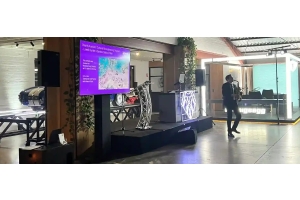
- 75-inch or 100-inch display screens: Perfect for breakout sessions, registration desks, or sponsor display areas.
- Laptop and tablet support: Adaptors, cables, and switching equipment so presenter changeovers are smooth.
Always do a screen visibility check from the back row before the event starts.
3.Lighting for Conferences
Lighting is the one thing that transforms a plain venue into a professional-feeling space.
- Stage lighting to clearly illuminate your speakers or panellists
- Architectural or uplighting to add polish and brand colour to the room
- General ambient lighting for breakout and networking areas
- Emergency lighting if your event runs into evening hours
Additional Equipment Worth Considering
Depending on your conference format, these extras make a real difference:
- Live streaming equipment: Cameras, encoding hardware, and stable internet setup for hybrid or virtual audiences
- Lecterns and podiums: With built-in lighting and microphone mounts for a polished presenter experience
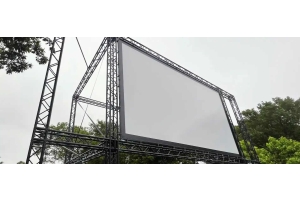
- Rigging and truss systems: For suspending screens, lighting rigs, or branded signage above the stage
- Power distribution: Generators or 3-phase boards if the venue has limited power outlets
Questions to Ask Your AV Hire Provider
Before you book, run through these:
- Can they do a site inspection before the event?
- Is setup and pack-down included in the quote?
- Will a technician be on-site during the conference?
- Do they carry backup equipment?
- What happens if something fails mid-event?
If they hesitate on any of these, keep looking.
Sizing Your AV to Your Conference
| Event Size | Recommended Setup |
|---|---|
| Under 50 people | Compact PA, 55-65" screen, 1-2 wireless mics |
| 50 to 150 people | Front-of-house speakers, digital mixer, 2.4m projection screen |
| 150 to 400 people | Full PA system, LED or large projection, multiple mics, stage lighting |
| 400+ people | LED walls, subwoofers, full rigging, dedicated AV technician team |
Getting conference AV right is not about spending the most money. It is about asking the right questions early and working with people who actually know what they are doing.
Ready to get a tailored AV hire quote for your next conference or seminar? Contact Wwave on 03 9372 5244 to speak with our experienced team.
Recent Posts